Free Cutting Diagram Generator – Visualize Your Cut Layouts
Transform your raw cut lists into precise, color-coded visual maps in seconds. The CutWize cutting diagram generator automatically calculates the most efficient way to arrange parts on your stock material—whether you're cutting plywood panels, dimensional lumber, or fabric rolls. Stop sketching layouts by hand and start cutting with confidence.
No account needed to try
What is a Cutting Diagram?
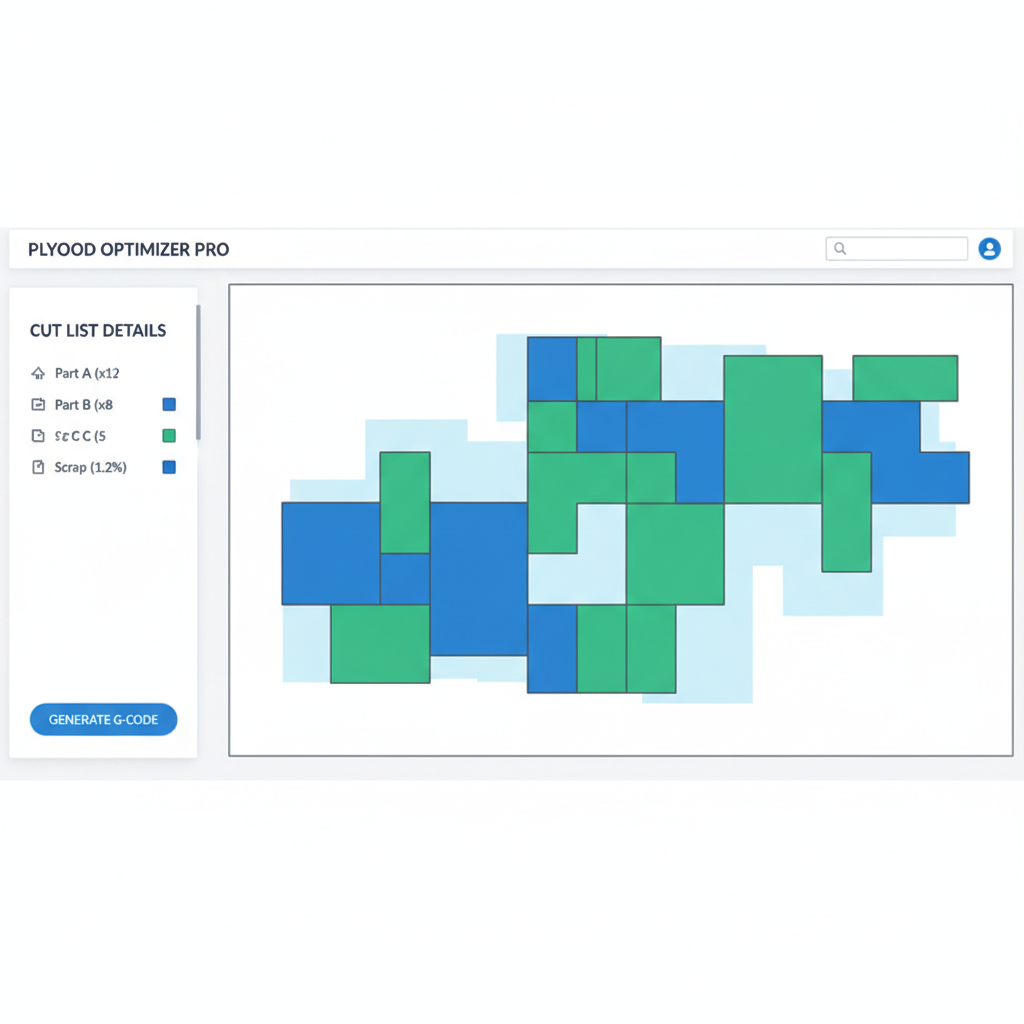
A cutting diagram is a detailed, visual blueprint that shows exactly how to arrange and cut required parts from your raw stock material. Instead of just working off a spreadsheet of numbers, a cutting diagram provides a graphical representation of the stock sheet or bar, overlaying every single cut, accounting for blade thickness (kerf), and highlighting reusable offcuts versus pure waste.
Whether you are a cabinet maker trying to figure out how to get ten drawer fronts out of a single sheet of MDF, or a metal fabricator looking to slice down 6-meter aluminum extrusions, a clear cutting optimiser diagram eliminates the guesswork. It bridges the gap between your project plan and the actual workshop floor.
Why You Need a Cutting Diagram Generator
Trying to calculate cutting layouts in your head or sketching them on a notepad is a recipe for disaster. It is incredibly easy to forget about the blade's kerf, miscalculate a dimension, or overlook an opportunity to nest parts more efficiently. A digital cutting diagram generator solves these core problems instantly:
- Drastically Reduce Material Waste: The software uses advanced algorithms to rotate and nest parts tightly together, finding layout efficiencies that human brains simply cannot calculate quickly.
- Avoid Measurement Errors: A visual diagram shows you exactly where the saw blade needs to drop. If a part doesn't fit, the generator warns you before you make a costly mistake.
- Communicate Clear Instructions: If you are managing a team, handing a saw operator a color-coded diagram is infinitely better than handing them a list of numbers. It removes ambiguity and speeds up the cutting process.
- Automatic Kerf Calculation: A good diagram generator automatically subtracts the thickness of your blade from the available material, ensuring that your final piece isn't 3mm too short.
How CutWize Generates Diagrams Automatically
The beauty of CutWize is that you don't need any CAD experience to create professional-grade layouts. The process is fully automated and designed to be as fast as possible. Here is how our cut list optimizer builds your diagrams:
- Define Your Stock: Enter the dimensions of the raw material you have on hand. You can enter multiple sizes if you have a mix of full sheets and offcuts.
- Input Your Required Cuts: Add the dimensions of the pieces you need for your project. You can copy and paste this list directly from Excel, or type them in manually. Label each cut (e.g., "Left Cabinet Side", "Drawer Bottom") so it's easy to identify later.
- Set Your Constraints: Tell the software your blade thickness (kerf), and specify if any parts have a strict grain direction that cannot be rotated.
- Let the Algorithm Run: Click optimize, and within milliseconds, CutWize processes thousands of permutations to find the mathematically optimal layout, instantly rendering a crisp, interactive cutting diagram.
Different Types of Cutting Diagrams
Different materials require different types of spatial logic. CutWize isn't just for plywood; it features three distinct layout engines to generate the right kind of diagram for your specific material type.
Sheet & Panel Diagrams (2D)
Our 2D nesting engine is perfect for woodworkers, cabinet makers, and CNC operators. It arranges rectangular parts onto flat sheet goods like plywood, MDF, acrylic, or sheet metal. The diagrams color-code each part, clearly delineate the waste, and show you exactly how to break down the panel sequentially.
Linear Bar Diagrams (1D)
When working with dimensional lumber (like 2x4s), aluminum extrusions, steel pipes, or PVC, you don't need a 2D layout—you need a 1D linear diagram. Our linear cutting optimizer visualizes exactly how to chop long bars into shorter segments, displaying the required cuts along a single horizontal axis to ensure you get the absolute maximum yield from every bar.
Roll Material Diagrams
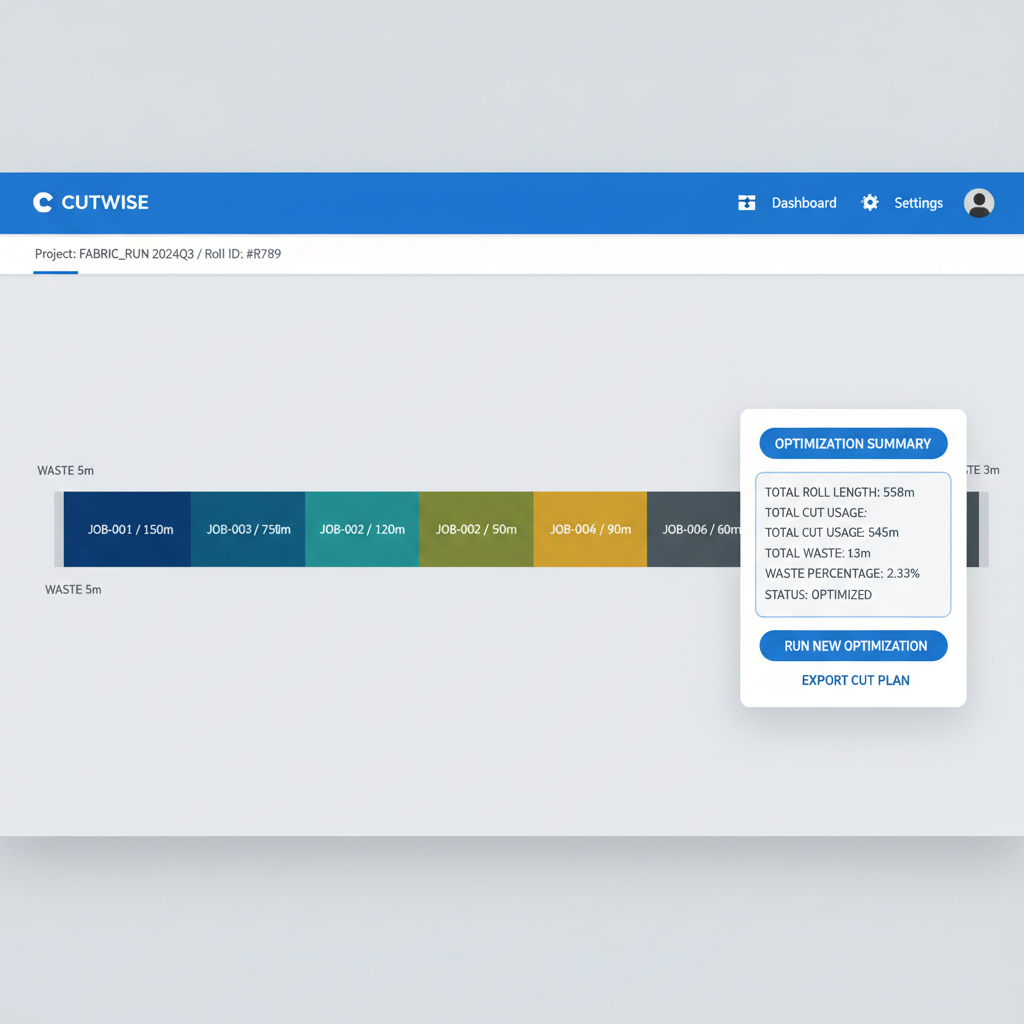
For industries working with continuous materials like fabric, vinyl, window films, or industrial canvas, we offer a specialized roll cutting diagram. This visualizes a layout where the width is fixed but the length is virtually infinite, helping print shops and upholstery businesses stack parts densely to minimize total drop length.
Exporting and Printing Your Diagrams
A diagram is only useful if it makes it to the saw. CutWize makes it incredibly easy to distribute your generated layouts. Once you are satisfied with the optimization, you can export a comprehensive PDF package. This document includes a high-resolution, full-color printout of every individual cutting diagram, alongside a summary table detailing your total material yield, scrap percentage, and the exact dimensions of any reusable offcuts generated during the job.
We also feature a dedicated "Print View" designed specifically for the workshop environment. It strips away the complex UI and prints large, highly legible layout cards with checkboxes. This allows your saw operator to physically check off parts as they are cut, preventing double-cutting and keeping the project highly organized. For integration with other software or CNC routers, you can also export the raw coordinate data as a CSV file.
Cutting Diagram Generator vs Manual Drawing
Many craftsmen still rely on graph paper or basic spreadsheet planning to figure out their layouts. While this might work for a small project with five parts, it quickly becomes unmanageable as the complexity scales up. A dedicated software approach ensures you aren't leaving money on the table in the form of scrap wood or metal in the dumpster.
Frequently Asked Questions
Visualize Your Cuts Today
Stop guessing and start optimizing. Use our free cutting diagram generator to map out your next project, reduce your material waste, and speed up your workflow.
No account needed to try
Related Tools: Sheet Cutting Optimizer | Roll Cutting Optimizer | Linear Cutting Optimizer
Cut List Optimizer | Cut List Calculator | Plywood Cutting Calculator